
For our application we have created a database. We do not need to store the recipes themselves because it is more effective to call them from the API than to have 5000 recipes in our database. The database includes 4 tables: user, shopping list, meal planner, user saved recipe.
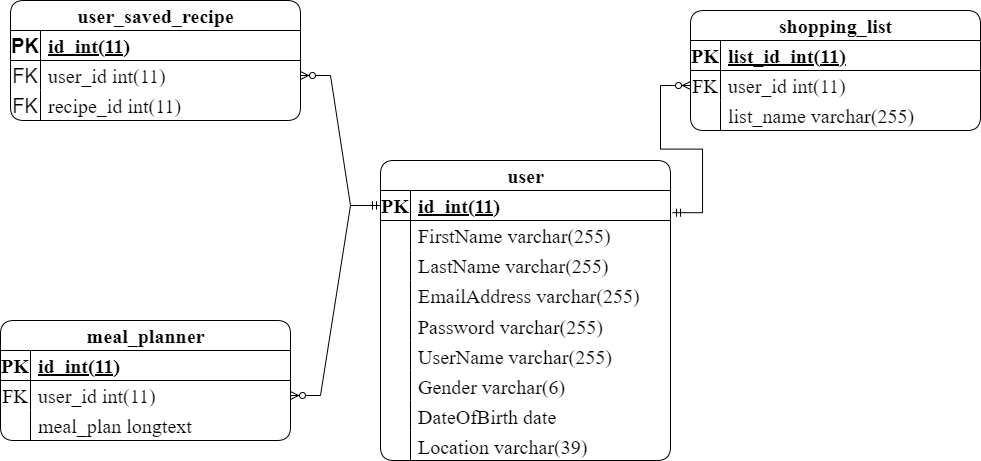
The user's first name, last name, and email address are collected in order to identify them and facilitate password recovery. Email confirmation and shopping list notifications are sent to the provided email address. Additionally, the user's gender, date of birth, and city are gathered in order to enhance personalized recommendations.
During registration, the user creates a password, which is then "salted" and hashed before being securely stored in our database. The user also specifies a username, which is displayed on their profile.
When a user saves a recipe, the relevant information is stored in the user saved recipe table. This includes an auto-generated user ID and the recipe ID from our API. If a user creates a shopping list, their user ID and the listed products are recorded in the shopping list table. Similarly, when a user generates a meal planner, their user ID is associated with the planner in the meal planner table.
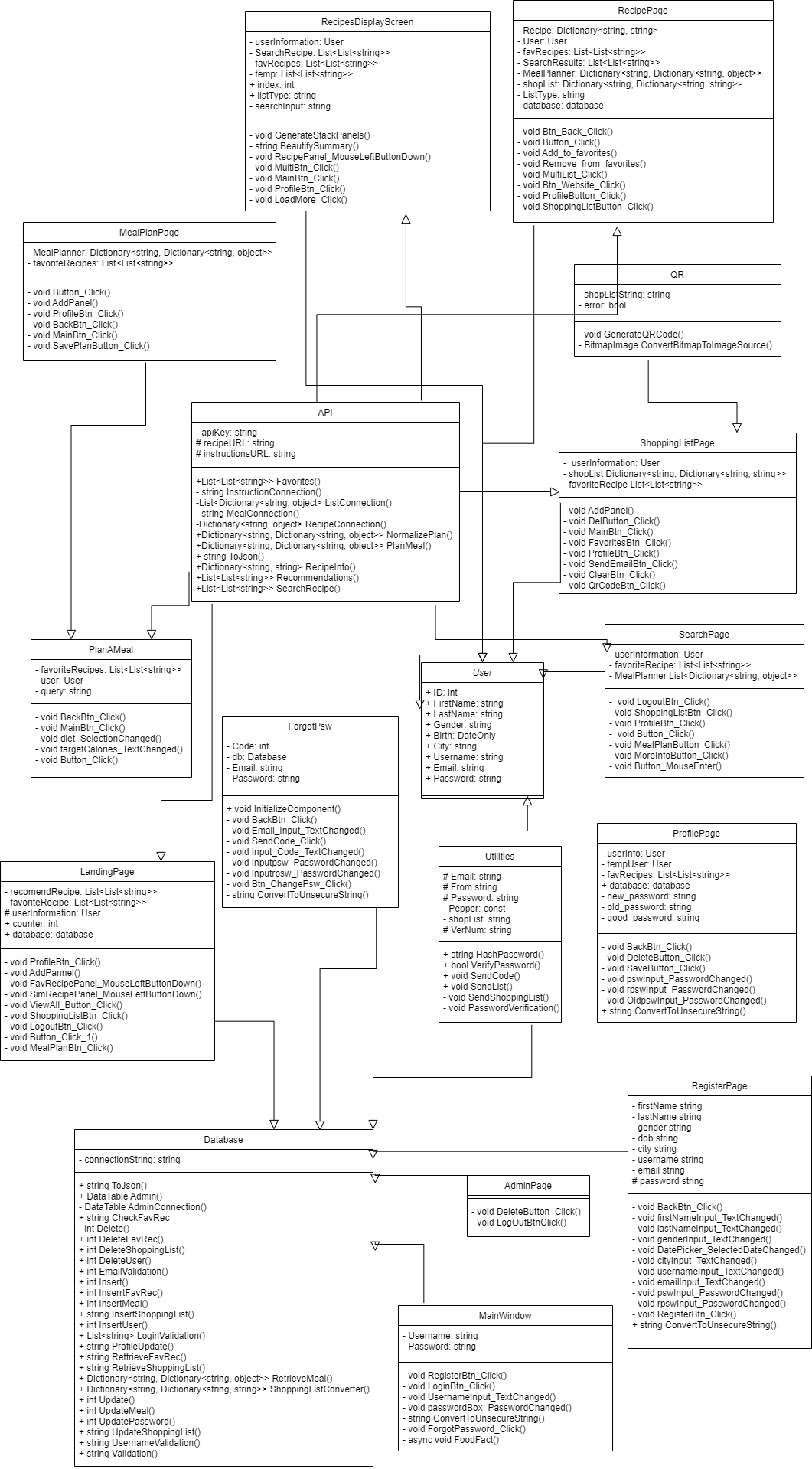
In our application we have 13 pages. Users can log in or register the app or in case they forgot their password, they can ask for a verification code to change the password on the Forgot password page. Next, they go to the main page where they can see their favorite recipes, our recommendations; with the buttons they can go to a shopping list and a profile, search for new recipes or log out.

On the Search page users can enter a recipe name, which cuisine they want, the diet or intolerance that they have, ingredients they want to include. After the user clicks on a search button, they see different recipes are displayed and if they want more, they can just click on a load more button.

In addition, users can go from a Search page to a meal planner, where they can specify their diet, target calories and excluded ingredients. As a result, they get their meal plan on the Meal planner page with breakfast, lunch, dinner and nutrients for 7 days. The user can save this meal planner or simply leave this page.
By clicking on the recipe name on any page, users are taken to the Recipe page with detailed information. On this page they can add this recipe to favorites, shopping list or go back to the previous page. On the Profile page users can review their account information, change it (except email and username) or delete the profile.
If the user has added recipes to the shopping list, all the products will be displayed on the Shopping list page sorted by category. The user can clear the shopping list, send it to the email or use the generated QR code to the notes app.